Your one-stop video processing software
VideoProc is a multi-functional video utility software created by Digiarty Software Inc. This multimedia application has got a lot of tools to help you easily edit and create professional-looking videos. Fast and lightweight, the app’s main expertise lies in processing videos with high quality and length. When you are looking for a professional video editor with a simple and very light operation, this app should be in your list of choices.
Top Recommended Alternative
Your editing needs covered
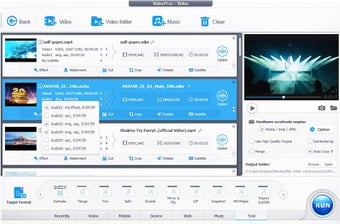
If you are into 4K video editing, and popular applications like Adobe Premiere Pro confuse you, then you might want to try VideoProc. This app is aimed for consumers looking for an advanced yet easy-to-use editor. It boasts a wide variety of compatible videos, from videos captured using mobile phones to 4k footages from GoPro. It has a comprehensive set of tools—both basic and advanced, and can edit your videos in a streamlined workflow. It doesn't matter if you are a seasoned pro or just getting started. This app can help you touch up and process any video.
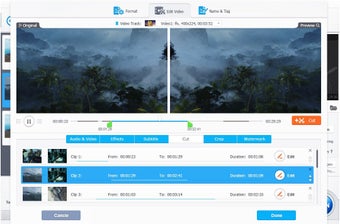
VideoProc comes with a flexible cutting tool which allows you to shorten any video and chop away any unwanted segments. You can even rearrange clips in a new sequence and have it optimized to fit Youtube and other video-sharing applications. Also, the app allows users to crop and merge video clips and apply video effects. VideoProc flaunts a lot of other awesome features, including a GIF maker, watermark, noise remover, and video stabilizer.
Not just for editing
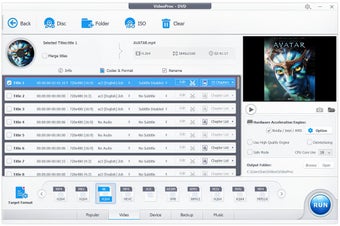
VideoProc is a great editor, but the app goes beyond just editing your videos. For one, it can serve as a converter and not just for your videos. The app offers a quality-oriented, high-speed media converter that encompasses 370 input codecs and over 420 output formats. If you wish to convert your H264 video to H265 (HEVC) or turn your MKV video to iPhone or MP4, then this is your solution. It offers 4K and 8K conversion, resizing, and compression. Yes, you read it right—the app also offers DVD or other video file format compression, allowing you to compress large video size by 90% with a merely pixel-level quality difference.
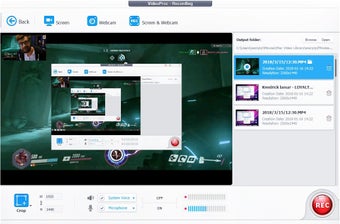
To make it more convenient for you, VideoProc also supports screen recording, camera recording, and voice recording. The app’s built-in recorder lets you capture all your desktop screen activities or record a video using your webcam. You can even do both at the same time. The recorder comes with utility tools, letting you draw any object or highlight any content. You can even choose to record only a select area in your monitor instead of going full screen.
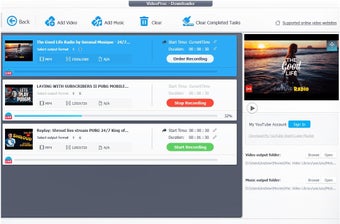
Finally, VideoProc has a built-in net video download function that lets you download videos from UGC websites, like Youtube, Facebook, and Dailymotion. This feature allows you to batch download videos and search matched subtitle texts online for movies and TV series.
Simple yet powerful
Taking things into consideration, VideoProc is perhaps one of the best editing software available today. It is loaded with rich features, excels in processing GoPro and other 4k footages, and handles large-sized videos without any hassle. Its simple and intuitive interface, as well as its other nifty features, adds up the icing on the cake and make this app a go-to software for content creators.